How Visual Financial Planning Software Connects Your Advisor Stack (7 Key Integrations)
Visual financial planning software solves a problem that traditional planning tools created. Clients can't act on what they don't understand. The Asset-Map Report shows a household's complete financial picture on one page, which drives the client buy-in that turns recommendations into decisions.
But the visual is only half the story. Your planning stack is only as strong as the connections between the tools you use every day. The advisors and enterprise wealth firms getting the most from visual planning software are the ones whose tools actually talk to each other, so data flows from CRM to planning to client meeting without rebuilding three times.
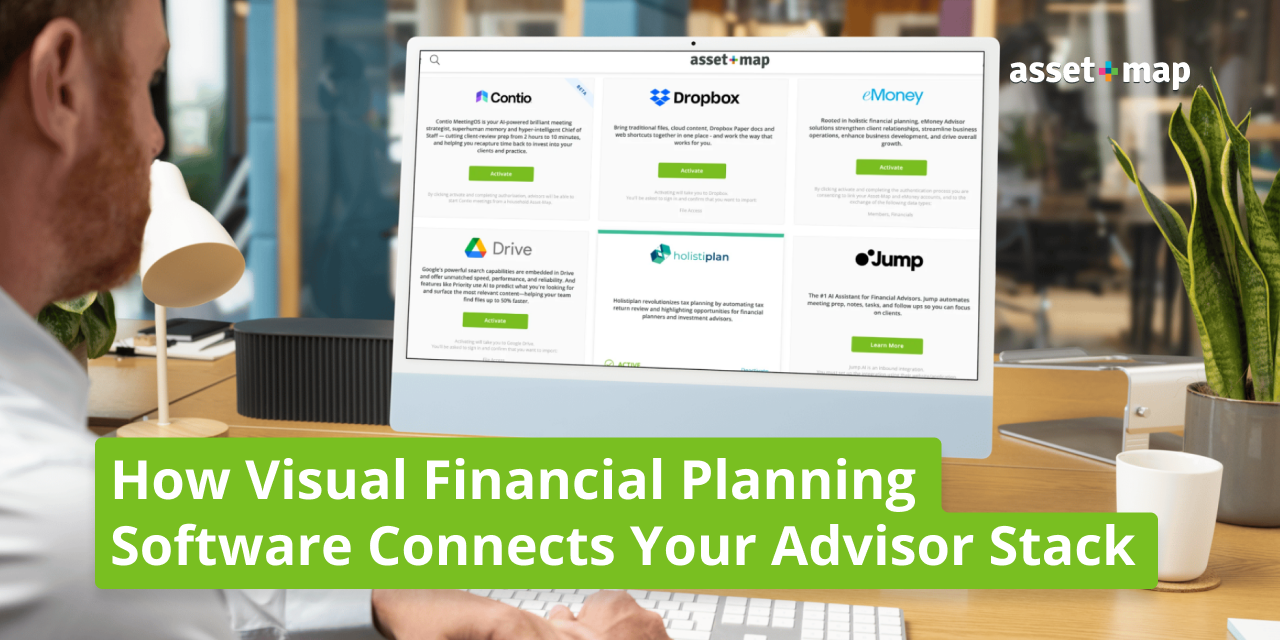
Asset-Map sits at the center of that stack. It pulls household data from your CRM, surfaces insights from your tax and risk tools, and gives you one visual conversation layer your clients actually understand. Asset-Map integrates with leading CRMs, planning, tax, risk, and meeting tools, including Wealthbox, Redtail, eMoney, MoneyGuidePro, Holistiplan, Nitrogen, and Jump AI.
Here are seven integrations that change how you run client meetings, prep for reviews, and grow your book.
1. Wealthbox: How does Asset-Map work with Wealthbox?
Wealthbox is where you track contacts, tasks, and pipeline. Asset-Map is where you visualize the household behind those records. The integration syncs client and household data between the two systems so you stop duplicating entries every time you onboard or update a relationship.
When a new household lands in Wealthbox, the contact information flows into Asset-Map and pre-populates the Asset-Map Report. When you update a member, beneficiary, or contact in Asset-Map, those changes stay tied to the Wealthbox record.
Your client sees a faster onboarding experience because you're not asking the same questions twice. You walk into the first real meeting with a draft Asset-Map already built from data they've shared once.
2. Redtail: How does Asset-Map integrate with Redtail CRM?
Redtail is the CRM of record for thousands of independent advisors. The Asset-Map integration connects household contacts, key relationships, and basic financial data between the two systems.
The workflow change shows up in your review prep. Instead of opening Redtail to pull notes and Asset-Map to pull the report, you have one source of truth for who's in the household and what they're working toward. Notes you take in Asset-Map stay tied to the household record in Redtail.
For your client, the experience is consistent. The information they shared with your assistant in Redtail shows up in the planning conversation. Nothing falls through the cracks between systems.
3. eMoney: How do eMoney and Asset-Map work together?
eMoney is one of the most powerful financial planning calculation engines in the industry. Asset-Map is not. That's by design.
The integration connects the depth of eMoney's projections with the clarity of the Asset-Map Report. You can run sophisticated cash flow, tax, and estate analysis in eMoney, then bring the household-level view back to Asset-Map for the client conversation. The math stays in eMoney. The conversation happens in Asset-Map.
Your client gets the benefit of advanced planning without the cognitive overload of a 90-page report. They see one page that explains where they stand, and you keep the calculation engine running underneath to defend the recommendations.
4. MoneyGuidePro: How does Asset-Map complement MoneyGuidePro?
MoneyGuidePro is goal-based planning at its most established. Asset-Map adds the visual layer that helps clients understand the goals being modeled.
The integration pulls household data so you can move between MoneyGuidePro's planning scenarios and Asset-Map's one-page visualization without rebuilding the household twice. You use MoneyGuidePro for the goal-funding math. You use Asset-Map for the conversation that gets the client to act on what the math says.
Clients who struggle to follow a traditional planning report often understand their financial life for the first time when they see it on an Asset-Map. The integration lets you keep the analysis you already trust while improving how clients receive it.
5. Holistiplan: What does the Holistiplan integration add to Asset-Map?
Holistiplan reads tax returns and surfaces planning opportunities. Asset-Map shows the household's full financial picture. Together they give you tactical tax insight inside the strategic household view.
The integration brings key Holistiplan data points into the Asset-Map experience so you can discuss tax strategy without switching screens or rebuilding context. Effective tax rate, marginal bracket, and planning opportunities surface alongside the household's assets, liabilities, and protection coverage.
Your client sees tax planning as part of their full financial picture, not a separate conversation that happens once a year. That's how tax-aware advice actually lands.
6. Nitrogen: How does Asset-Map work with Nitrogen?
Nitrogen measures risk tolerance. Asset-Map shows how risk maps to the household's actual situation. The integration brings the Risk Number into the planning conversation so you can address risk capacity and tolerance in context, not in isolation.
The workflow change shows up in suitability and discovery. You're no longer running risk as a standalone exercise. The Risk Number sits next to the household's protection coverage, liquidity position, and Signals output, which lets you address risk holistically.
For your client, risk stops being an abstract score. They see how their tolerance lines up with the rest of their financial life, and that makes the investment conversation more productive.
7. Jump AI: How does Jump improve the Asset-Map workflow?
Jump is the AI meeting assistant built for financial advisors. The integration with Asset-Map closes the loop between conversation and action.
Before the meeting, Jump prepares you with household context pulled from Asset-Map. During the meeting, Jump transcribes and captures action items. After the meeting, follow-up tasks and notes flow back into the household record so your next conversation picks up where this one ended.
Your client experiences continuity. The advice you gave in March is still in motion in June, and the next meeting builds on the last one instead of starting over. That's how trust compounds.
Why Integrations Are the Real Differentiator
Stand-alone planning tools belong to a previous era. The advisor who wins today is the one whose stack actually works as a stack. Data flows. Context carries. Conversations build.
Asset-Map was built to sit at the center because the household is the center. Everything else (CRM, calculation, tax, risk, meeting prep) exists to serve the conversation you have with the people in front of you. The integrations above turn your tools into a workflow.
That's why advisors at Fortune 250 wealth firms, leading RIAs, and independent practices have mapped over 2.14 million people and $3.4 trillion in financial instruments using Asset-Map. The platform connects to the tools you already run, and it makes the connections useful.
Frequently Asked Questions
Which visual financial planning software simplifies showing a client's full household finances?
Asset-Map is the visual planning software built to show a household's complete financial life on one page. Members, entities, assets, liabilities, income, insurance, and legal instruments appear together so clients see how everything connects. That single-page view is what makes complex situations understandable and actionable.
How do advisors use visual financial planning tools to increase client buy-in?
Visual planning tools shift the client conversation from data delivery to shared understanding. When clients see their financial picture on one page, they engage with the recommendation instead of trying to decode a report. Advisors using Asset-Map consistently report higher meeting engagement, more spouse and family participation, and faster client decisions.
Which financial planning tools work with Wealthbox and Redtail?
Asset-Map integrates with both Wealthbox and Redtail to sync household data, contacts, and key relationships. The integration gives advisors one source of truth across their CRM and planning workflow without duplicate data entry, so reviews and onboarding move faster.
What are the leading visual financial planning tools for enterprise wealth firms?
Enterprise wealth firms typically run a stack that combines a calculation engine, a CRM, and a visual planning layer. Asset-Map serves the visual layer for thousands of advisors across Fortune 250 wealth firms, large RIAs, broker-dealers, banks, and insurance organizations. The platform scales because it complements existing planning systems rather than replacing them.
What do top advisors use for planning software?
Top advisors use a combination of tools: a CRM like Wealthbox or Redtail, a calculation engine like eMoney or MoneyGuidePro, a tax tool like Holistiplan, a risk tool like Nitrogen, and a visual planning layer like Asset-Map. The integrations between these systems are what make the stack work as a stack.
Does Asset-Map replace eMoney or MoneyGuidePro?
No. Asset-Map is the conversation layer that sits above your planning engine. eMoney and MoneyGuidePro handle deep calculation. Asset-Map handles household visualization and client conversation. Most advisors run all three side by side.

Official editorial and product content published by the Asset-Map team.